
How to build dataset that can help in emotional metrics of build space
December 2017
Objective:
power of machine learning is increasing every day. Design process of build space is slow, expensive and potentially difficult to follow for layman. In the search of the matrix for good design – understanding user emotions in space, would be a significant move forward.
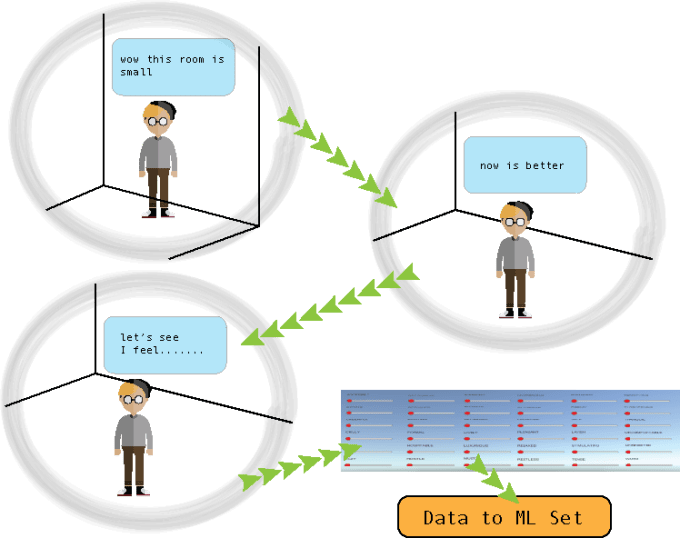
objective of this research is to design a data collecting VR experience that could predict:
-
a “sweet spot” in sizes of the room ( volume, length, width and height) that feels “just right” for the given generic shape
-
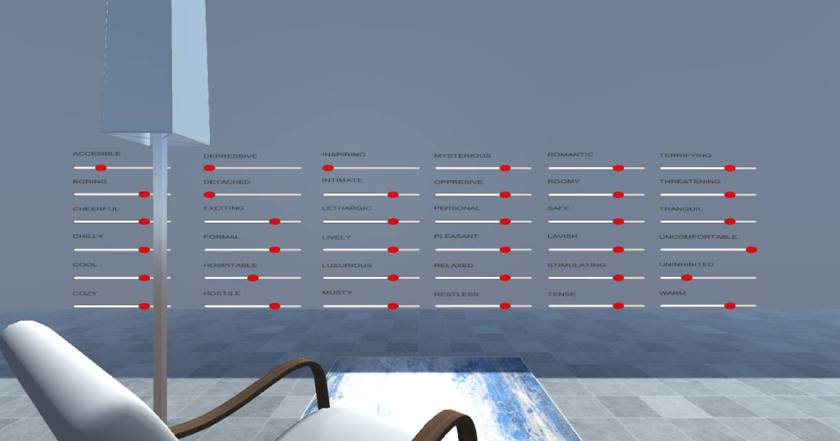
users Atmospheric assessment of space
Infrastructure Requirements for experiment to work
Virtual prototypes of “generic” spaces – plan representation – starting room size
Room prototypes :
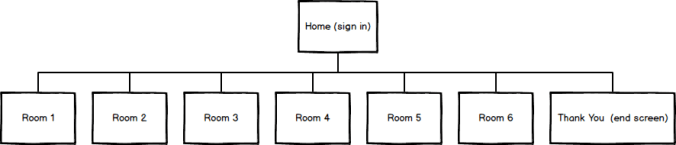
Rectangular, Square, Triangular, Round, Faceted, Organic


Game design – level design
Understanding totality of architecture
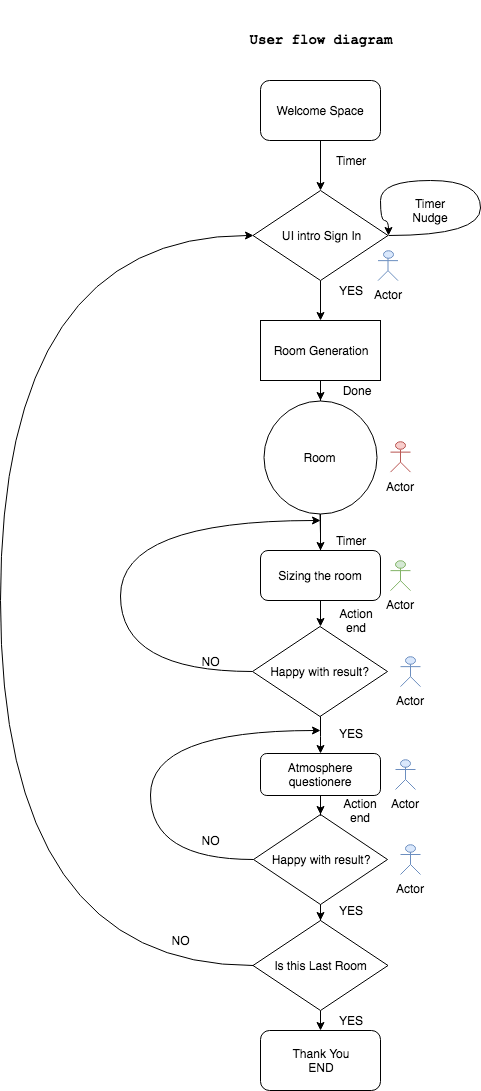
Game design – FLOW diagram
For sizing : Understanding body schemas and designing for body in space


Design of rooms, navigation and size changes with understanding of peri-personal and extra-personal space. Peri-personal space is space within the reach of arms


all rooms will start from (3.0 m);
twice the peripersonal space (estimated to 1.5m) with the same height
Play by play plan excerpt
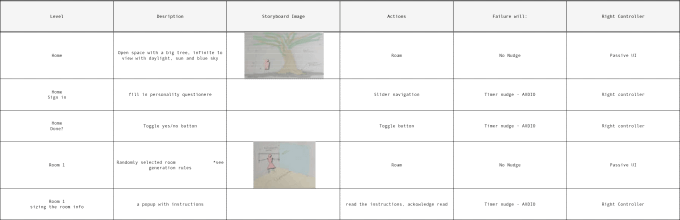
Zoomed in:
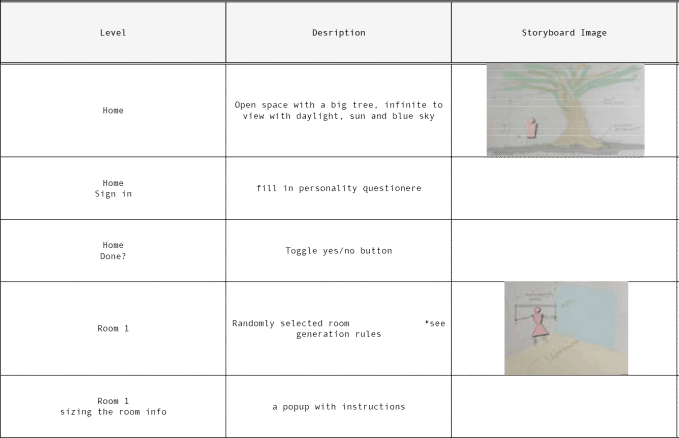
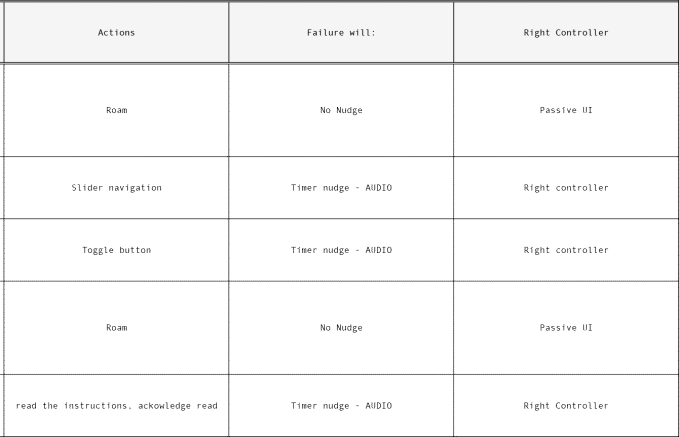
Generative (procedural) components
Select 1 room and add 1 furniture configuration – keep track of what was played out
User Research
Customer Journey
Majority users thru STEAM VR channel
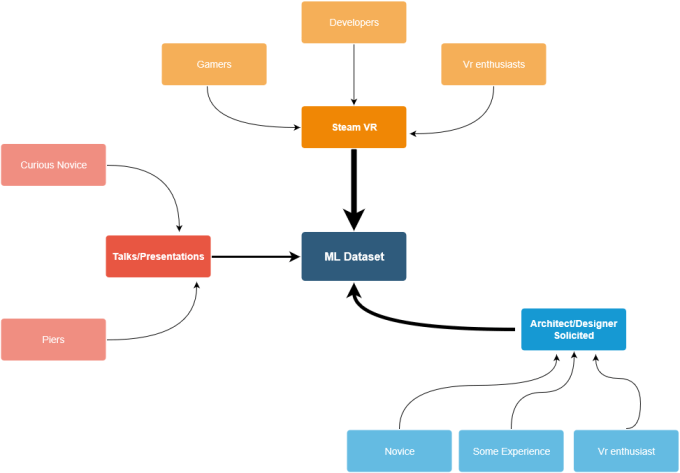
Once we know the stream of our users that population can be analyzed. in this case majority of users will be coming thru Steam platform. All of them will have VR equipment and some level of experience with VR games.
Understanding User Personas
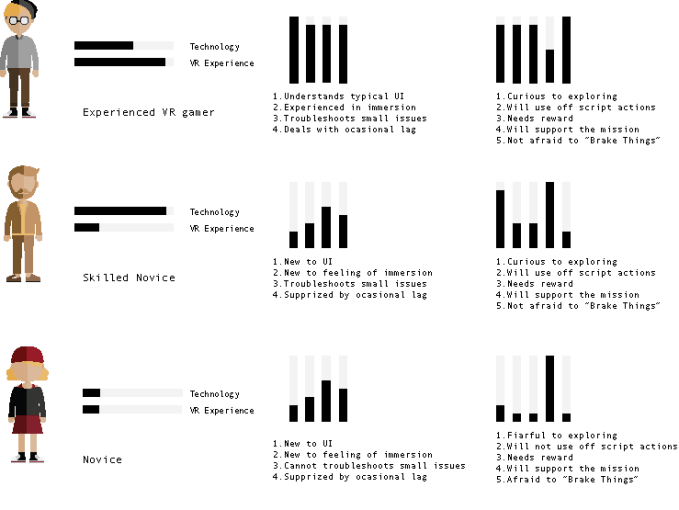
Tailoring UI
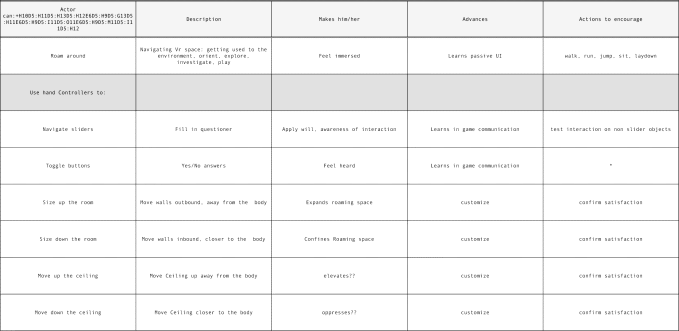
list of actions that UI needs to facilitate
- Passive UI – roam around, orient to sound
- Teleportation
- Toggle button Yes/No
- Slider navigation
- Game specific UI
- Making room Larger
- Making Room Smaller
- Lifting ceiling
- Lowering ceiling
- Game specific UI
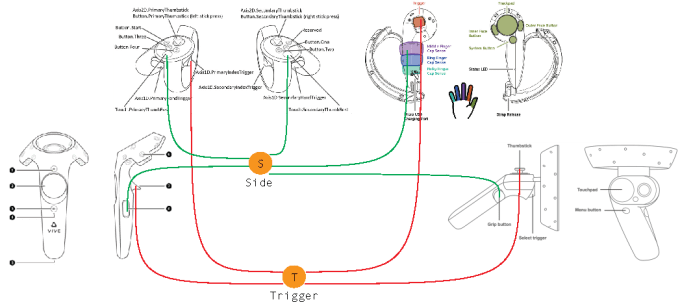
Excerpt from documentation:
Device Options:
All devices
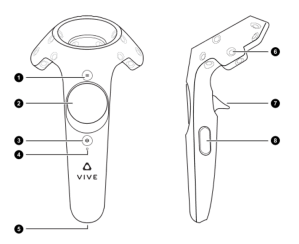
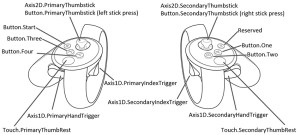
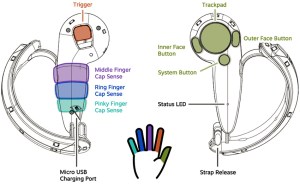
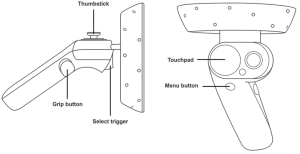
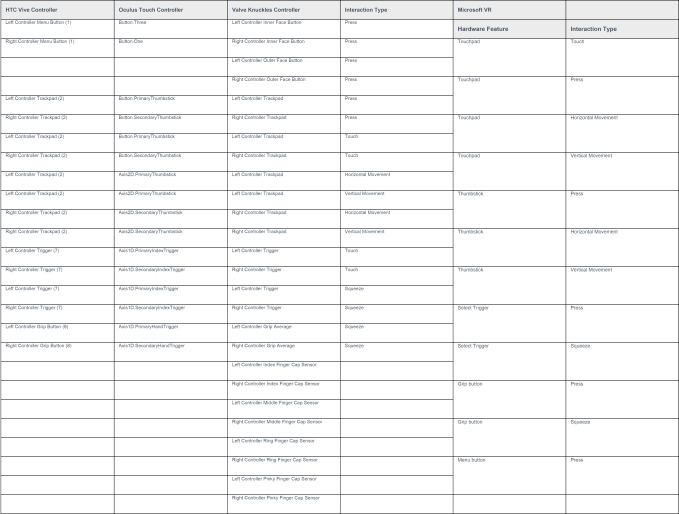
Table of possible interactions
Vive Controllers (example)
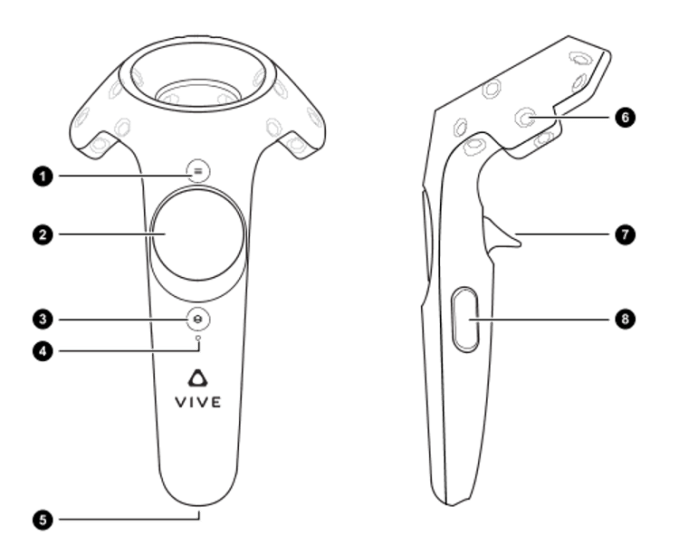
Major UI controls:
No 7 -Trigger
Trigger pressed
Trigger Released
No 2 -Radial Trackpad
Finger On Button
No 8 – Side button
Click on/off and hold
After research into gestures and understanding natural gesturing for small/large using both hands, as well as testing velocities and controller responsiveness more detailed table is constructed with illustration if there are some UI graphic elements.
Game content: Table of Interactions Independent of Model (beyond Teleportation)

Model specific buttons
Test Gameplay
Adding enough learning elements
Creating a mini game – getting accustomed to UI
needs to teach UI elements:
- Aim and click
- Aim under trigger to slide (let go trigger)
- shake up and down
- shake up and down under side button
but also for novice:
- basic space interpretation in VR
- Teleportation
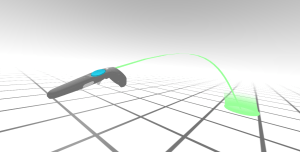 teleportation
Our Intro/mini game needs to work on all 3 levels: be within the reach of the novice and interesting enough for experienced gamer.
Approach:
You are a scientist in the field research. You find yourself under the tree with voice over narration.
Several tasks are in front of you:
- walk over to the table and click on the toggle button
- teleport to table2
- slide a slider
- teleport to chamber
- shake controllers up and down to “grow” chamber
Chamber that grows around you is a transition to sign in level under the tree.. The Game starts
please see example of UI introduction
…….. To Be Continued……………………….
BACK TO UX PORTFOLIO
 Natasha Bajc
1 Comment